Given that Instagram has more than 3 Billion monthly active users worldwide, it’s not a stretch to say that Instagram is a powerhouse. Numbers that big are literally mind boggling and our caveman brains can barely comprehend them.
Now, imagine all those people as potential clients and it becomes pretty clear pretty quickly how important it is for small business owners like you to get in on the platform. It’s a massive audience and while not all 3 Billion will find your content useful, you’ve got to play the numbers game so that some of them into your buyers.
Of course you’re not the only entrepreneur that knows this. That’s why your content has to score well on both quality and quantity. If it can do both, you’ll make a lasting impression which will lead to more clients and customers.
Sounds hard, doesn’t it? I get it. When there are other things to focus on for business, feeding your Instagram page can be difficult. That’s especially true if you feel lost and may not know the right strategies for shooting and scheduling content over a long period.
I get it and I GOT YOU!!! In this blog I’ll share my secrets on the easiest way to create content for up to 90 days.
How to Make 90 Days of Content Possible
Doing just one content session can easily get you 90 Days of content.
These numbers are easier to comprehend. Trust me.Clearing the 90-day hurdle means posting once every workday for a total of 60 times. But that doesn’t mean you 60 different pictures and videos. If you reuse 20 unique pieces of content three times each, you’re there.
A good content session can easily provide you with the combination of 20 videos and images you’ll need.
Our Content Happy Hour is the ultimate solution to score a whopping 90 days’ worth of top-notch content.
Once you’ve got them made, the posting is easy. You just schedule the posts using a social media management tool, like Buffer or Hootsuite, for a 3-month period. It’s simple.
Getting the Content
A little preparation before your content session goes a long way. But you don’t have to stress too much about this. Just have a quick chat with your photographer to let them know what you need the photos for. If you don’t know what to say, here’s an example of the wording a well-prepared client of mine can use:
Hi McKenzi,
Since this is my first content session, I want to make sure we use our time efficiently and get on the same page. My goal for these photos is to show clients the real person behind my small business.
- Personality: I am warm, energetic and passionate about what I do. I want my photos to feel natural and candid rather than stiff.
- Work Ethic & Experience: I am a dedicated pro with many years of experience. I’d love a few action shots or focused working poses to highlight this.
- Professionalism & Approachability: It is important that I look polished and trustworthy, but also welcoming and easy to talk to.
I’d love your guidance on how to structure our time together so we can capture a great mix of candid working moments, professional portraits and approachable lifestyle shots. Let me know if you need any specific details or inspiration from me before shoot day!
It’s also worthwhile to suggest themes or topics you want to feature on your Instagram posts. The posts could be related to your products, services, brand, lifestyle, or anything else. Having a feel for the story you want to tell helps tremendously on shoot day. But don’t feel like you have to be too elaborate.
To gain inspiration, you might want to check out other Instagramers or see what your competitors are doing on their social pages. Even if it’s not Instagram.
Top Tip: To ensure you have a good variety of content, you should aim to get your photographer to take shots and videos from different angles and locations.
Top tips for creating 90 days of content with Canva
Canva is a great software; there are multiple ways you can utilize it to help create top content for 90 days.
Here are some ideas:
1. Learn Canva’s features
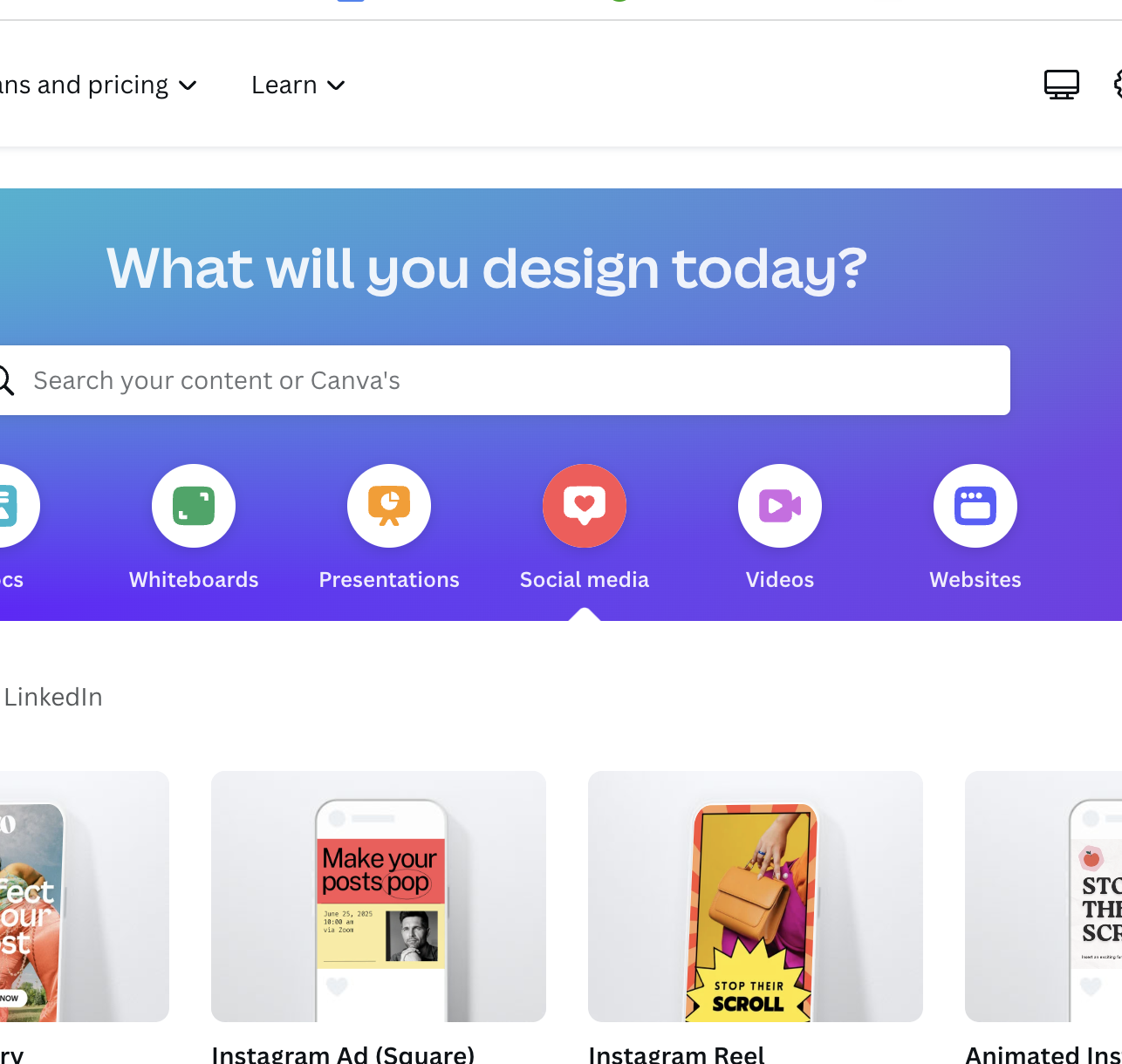
Before creating any Instagram content, you might want to learn about all the different design options Canva has. The system offers Instagram-ready designs you can plop right into all the typical spots such as posts, stories, ads, squares and animations!
2. Use templates
One great way to extend your content across 90 days is by making the most of Canva templates. Once you’ve decided on your post type, Canva has a bunch of templates that allow you to add your photo in. For instance, they have a range of promotions, holidays, invites, and more; the options are endless. With Canva having so many templates, a lot of time can be saved allowing you to create content quicker!
Tip: You can easily create bulk images on Canva in up to 5 minutes.
3. Try out their designs
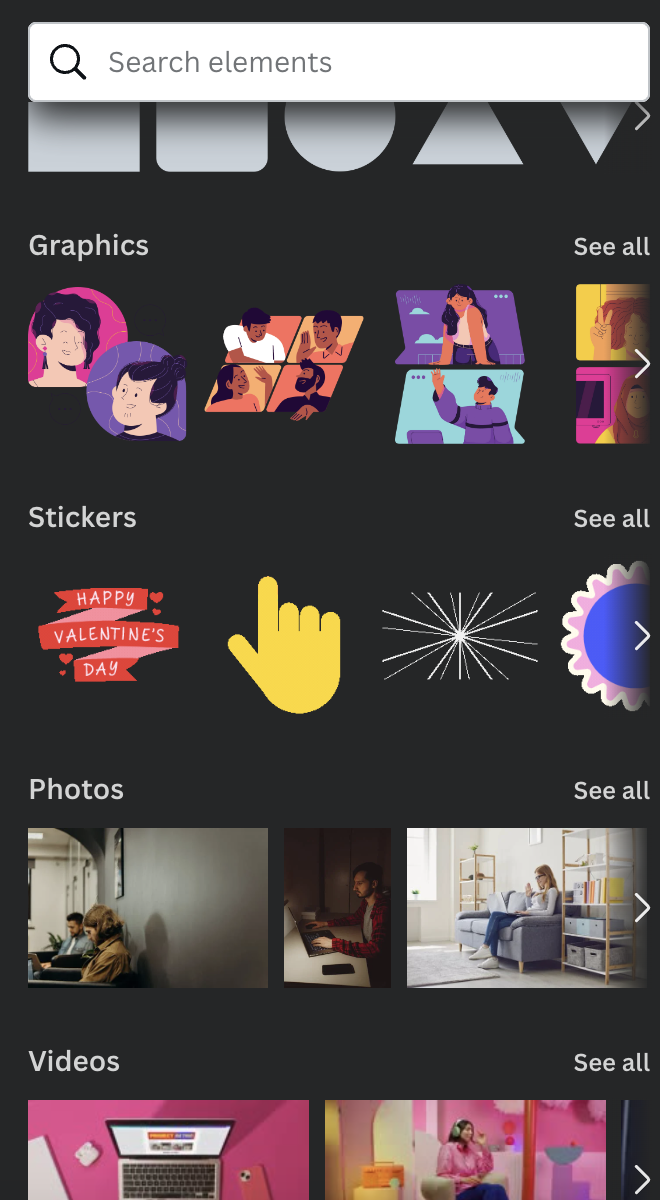
Another way to change the post type is by experimenting with Canva’s design elements. When using Canva, you’ll find various design images like illustrations, shapes, icons, lines, borders, and more. Try playing around with them on your image and template to make each post look different. Doing this will allow your posts to look visually appealing.
4. Include your brand elements
When designing your posts, one thing you must include and not forget is your branding. If you have a specific color scheme or brand guideline, don’t forget to add them to your photos. Use similar fonts, colors, and layouts that resemble your brand. Remember to add your logo when appropriate.
5. Grids and alignments
Normally when creating content for Instagram, you must resize it often to get it right. If you don’t use Canva, you must use resizer tools. However, if you plan on using Canva, it contains built in grids and alignments. These tools help you maintain the right size for the post, the spacing, alignments, and proportions, helping you make your content look professional.
6. Add animations and effects
If you like the same photo and want to reuse it, you can make it look different by adding animations and special effects. On Canva, you can add graphics, stickers, and videos to a post. So try to play around and see what different content you can create to make each post look unique.
8. Invite others to collaborate
Finally, if you’re stuck with ideas and have other team members, you can always invite them to collaborate. When creating content, in the right-hand side of Canva in the corner, there’s an option to share with other people in your team and edit and create.!
Final thoughts
Planning 90 days of content for Instagram doesn’t have to be as scary as you may have once thought. Capturing the best you during one of our upcoming Content Happy Hour meet ups can get you all the assets you need to get on the right track and ahead of the compeition. Just remember to have your content creation calendar, a good scheduling app and a content session. Once all of these are in place, you’ll be able to watch your engagement rates begin to soar.
Remember, if you’re creating content for Instagram, try and vary your content. Don’t just send static images for posting; add different graphics, videos, reels, and more using editing software like Canva to generate the most engagement.
If you’re stuck for content ideas, we can help you during a Content Happy Hour or a 1-on-1 content session. On the other hand, if you’ve shot it and are ready to schedule it across a 90-day period, follow these tips to streamline your posting.